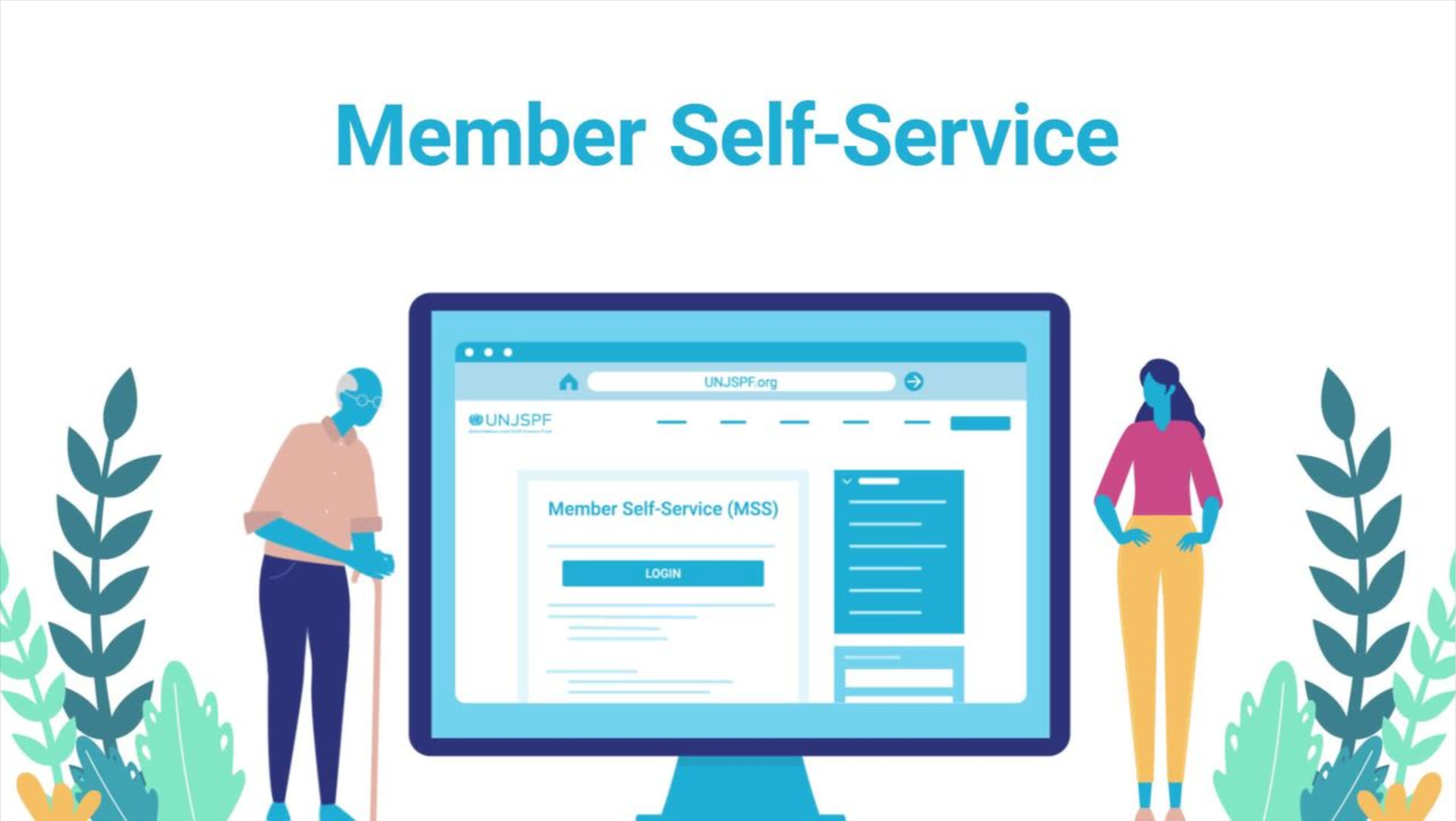
About Member Self-Service (MSS)

MSS provides you with access to your pension account and allows you to submit forms and documents to the Fund.

If you require assistance logging into your MSS account, contact us:

Participants
Retirees/beneficiaries

Most UNJSPF participants can:

  • check their personal information and update their email address;
  • run estimates of future pension benefits and options;
  • access their Annual Pension Statement;
  • access UNJSPF forms pre-completed with their name and Unique Identification Number;
  • electronically submit required pension forms to the Fund (please see the MSS Document Upload section below under MSS Features for more information);
  • fill online requests to validate, restore, or transfer your pension rights.

Menu tabs explained

Office of the Chief Executive of Pension Administration

Under the authority of the Pension Board, the Chief Executive of Pension Administration is responsible for administering the Fund. The Deputy Chief Executive directly supervises the Business Support Services Unit, the Data Analysis Unit, the Legal Office, the Business Transformation Unit and the Risk Management Unit. 

Operations

Operations Service (OPS) is entrusted with administering and managing the participation and separation process, post-retirement matters, and relations with member organizations. OPS processes pension cases and handles all incoming and outgoing correspondences, ensuring that they are recorded in the IPAS system and appropriate workflows are opened for action by the various sections in the Fund. 

Client Services

The Fund’s Client Services (CSS) is the first point of contact for all client queries reaching the Fund via the official UNJSPF contact channels. The team also processes a range of workflows relating to participant and beneficiary activities and is in charge of outreach to UNJSPF clients worldwide. CSS includes the Fund’s communication team, which works closely with the office of the Chief Executive of Pension Administration, the Representative of the Secretary-General for the investments of the Fund and OIM.

Financial Services

Financial Services (FS) includes all financial reporting activities, collection and reconciliation of contributions, and the payment of benefits. The Payments Section and the Cashiers Unit facilitate the disbursement of some $3.1 billion in benefits annually, including quarterly adjustments to the benefit entitlement for all retirees and other beneficiaries. The payments also include cost-of-living adjustments in accordance with the Fund’s pension adjustment system. The Accounts Section administers and reconciles the receipt of approximately $3.1 billion in contributions annually and generates participants’ statements. It is also responsible for producing accurate and timely annual financial statements for the Fund as a whole, including all investment activity reported by the Office of Investment Management. Lastly, the Service includes the Budget Unit, which prepares and consolidates the annual budget for the entire Fund and facilitates and monitors the disbursement of the administrative expenses through the United Nations Secretariat. 

Information Management Systems Service (IMSS)

The Information Management Systems Service (IMSS) is responsible for the Fund’s Pension Administration information systems and communications technologies (ICTs) and includes ICT support to clients, staff pension committees, the Board and its various committees. The scope of ICT services comprises the provision of computing and office automation support; acquisition and maintenance of software/hardware; design of systems; development and implementation of technology-driven solutions; cybersecurity; project management; and support for telecommunications infrastructure and conference services. 

Most UNJSPF retirees and beneficiaries can:

  • update their email address and mailing address on file with the Fund and provide an emergency contact;
  • track all payments from the Fund as well as After Service Health Insurance premium deductions;
  • access important pension documents;
  • subscribe to receive the Statement of Benefits, generate past statements upon subscription, and customize the statement by selecting the language and payment periods;
  • access the PDF of the annual Certificate of Entitlement or CE form, unless they are paid under the two-track system;
  • track whether their returned CE was received by the Fund;
  • access all official UNJSPF forms pre-completed with their name and UID;
  • upload and submit completed, dated, and signed pension forms and supporting documents;
  • submit an initial Emergency Fund request in case of severe financial hardship;
  • run an estimate of their entitlement under the two-track option, if they retired after 02 August 2015.

Office of the Representative of the Secretary-General

The Office of the Representative of the Secretary-General (RSG) provides overall leadership, direction and management of OIM activities. The Office ensures that all investment activities are coherently aligned to safeguard the fiduciary responsibilities, support the financial objectives and maintain the sustainability of the Fund. The RSG leads the investment operations; approves relevant policies and strategies; oversees the work of the Office; and sets forth the framework under which OIM’s functional areas establish their strategies and priorities to ensure that OIM carries out its mandate. The RSG is supported by the Chief Investment Officer and other specialized staff.

Investments

The Investments section is responsible for achieving the optimal investment return for the Fund, avoiding undue risk to meet the Fund’s long term investment return objectives, as well as meeting or exceeding the Policy Benchmark over the short-term. It consists of nine teams: North American Equity, European Equity, Asia Pacific Equity, Global Emerging Markets Equity, Real Assets, Alternative Investments, Trade Execution, External Managers, as well as Fixed Income and Treasury.

Risk and Compliance

The Risk and Compliance section is responsible for independently identifying, measuring, and monitoring all aspects of market and operational risks to which the Fund is exposed, along with the implementation of key compliance measures, i.e., adequate monitoring and control processes covering the Fund’s investments. The section is comprised of the Risk management team, the Performance team and the Compliance team.

Operations

The Operations team is responsible for all operational support efforts, including accounting, middle-office, and back-office investment supporting activities within the Fund.

Information Systems

The Information Systems team is responsible for ensuring the security of the Fund’s investments. It is responsible for supporting the information technology infrastructure and providing service desk assistance to OIM staff.

Data Analytics and Business Applications

The Data Analytics and Business Applications team is responsible for supporting all business applications, project management, data governance and data analytics activities supporting the investment life cycle. The team is also responsible for performing business analysis, fostering innovation and enabling change in an organizational context, by defining needs and recommending solutions that deliver value to the Fund.

Strategic Management Office

The Strategic Management Office is responsible for coordinating the actions relating to the effective administration of the growing number of OIM staff and resource requirements. The team provides support and coordination for budget preparation and monitors the disbursement of OIM expenses, certifies payments and travel, works on culture transformation, workforce planning, coordinates the complex procurement of services for OIM and manages the work of the Investments Committee. Additionally, the Strategic Management Office provides support and guidance to OIM staff to ensure that administrative actions comply with the United Nations regulations and rules.

Accounting

The Accounting team is responsible for all aspects of investment accounting, preparation of financial statements, and budget processes. It has a dual reporting line to the Chief Operation Officer and the Chief Financial Officer.

Legal

The Legal team is responsible for managing and advising on all legal aspects of the Fund’s investments, functioning and related operations, and the negotiation of a wide range of agreements and documents relating to the investment of multiple classes of assets in global public and private markets.

Registering

To create a Member Self-Service account you need to have:

  • your Unique Identification Number (UID). If you don’t know your UID, click here for instructions on how to request it.
  • your last name as it is written in official documents and is registered at the UNJSPF
  • your date of birth
  • an e-mail account (we suggest you use a personal email account so we can contact you in case you retire or change jobs)

With these four pieces of information you can create your Member Self-Service account: you will be creating a new “username” and a “password” and you will need to answer some security questions that will make it possible for you to reset your own password in the future. Please keep in mind that you will need to remember the answers you provided to those security questions should you need to reset your password in the future.

For step-by-step instructions, check the video and the PDF under the Resources section of this page (column on the right).

MSS menu tabs explained

Account (top right corner)

The account tab allows you to: 

  • update your email address
  • update your password
  • update your security questions
  • update your language preference for MSS use (English or French). Once language preference changed, all documents available for view in MSS will then be in the new preferred language; documents generated prior to such change will remain in the language in which they were initially issued. 
Home

If you are on another tab and click on the menu tab “Home”, this will bring you back to the first page you go to after logging into the system.  There is an area under Home where the Fund can send you specific information about your account.

Address

For retirees/beneficiaries only.

In this tab, you can update your address as long as you are not paid under the two-track and you don't have a pouch address.

Disbursements

For retirees/beneficiaries only.

This will show you a history of all of the payments that the Fund has made or will make to you.

Documents

Here you can see a history of documents that have been released by the Fund to you. More documents would be made available over time.

Participants can find the estimates that they have generated under the Estimates tab.

Retirees can access their Benefit entitlement letter, COLA Statements, Statement of Benefits (if previously requested) and Certificate of Entitlement (if not paid on the two-track).

Under the ‘Ad-hoc Document Request’ feature, retirees and beneficiaries can subscribe to receive the Statement of Benefits, generate past statements upon subscription, and customize the statement by selecting the language and payment periods. Self-generated statements can be viewed under ‘View Existing Documents’.

E-Forms

Here you can access, complete and print all official Pension Fund forms required to, e.g., to submit payment instructions, designate beneficiary/ies, inform the Fund of changes to your address (retirees/beneficiaries), or submit a two-track application (retiress/beneficiaries). Go to this tab, select the applicable form in your preferred language, open it and fill in the information needed. Make sure to always date and sign all applicable pages of the form concerned. Your basic information including your Unique ID and name will be automatically generated for you.

Proof Documents (CE Tracker and Separation Documents)

For participants in the process of separation/retirees/beneficiaries only.

If you are a retiree/beneficiary, this is where you are able to see if the Fund received your original Certificate of Entitlement (CE) or if you issued your Digital Certificate of Entitlement (DCE). If you do not see your CE-related information, please check back periodically as the Fund is in the process of registering thousands of CEs.

If you are a participant in the process of separating, you will be able to see on what date the Fund received the required separation documents from you and your employer. For more information about these documents, please check the Separation page.

Personal Information

This is a list of your personal information as it is on record with the Fund. We suggest that you review this and through the E-Forms above, make any corrections that are needed. Please note this page includes information on your marital status and that the line right underneath, in the field “Current Status” indicates your current participation status with the Fund; for active participants, that status would indicate “Active Participant”, while for retirees, it would indicate “Separated”. In other words, there is no connection between these two fields.

Please note, dependent information (spouse/children) is not available currently in MSS. The Fund retains this information and it will be made available in the future.

Validation Request

For participants only.

If you’re a participant you may be able to fill an online request for validation. For more information, please check the Validation page.

Restoration

For participants only.


If you’re a participant you may be able to fill an online request for restoration. For more information, please check the Restoration page.

Transfer-In Request

For participants only.

If you’re are a participant you may be able to fill an online request for a transfer-in. For detailed information on the possibility to transfer acquired pension rights from the UNJSPF to an outside (non-member) organization, or from an outside (non-member) organization to the UNJSPF, the applicable Regulations and Rules as well as conditions and requirements, please check out the Transfer Agreements page.

Emergency Fund

For retirees/beneficiaries only.
The Emergency Fund is set up to provide financial assistance for beneficiaries, who are in receipt of a small pension, and are facing temporary hardship. If you are temporarily unable to meet your basic expenses due to an emergency situation, such as exceptional medical expenses, you may seek assistance from the UNJSPF Emergency Fund. The Emergency Fund cannot be used to replace or augment medical insurance plans, completely reimburse medical expenses, or supplement income considered too small by its recipients to face day-to-day expenses.

Estimates

Participants are able to run benefit estimates and most retirees and beneficiaries are able to run two-track estimates on this tab.

Read carefully the choices that you have when you are making an estimate. Understand that the system is making a lot of calculations and it will take a few minutes to generate the estimate that you requested. Once the calculation is complete the estimate will appear in the Documents tab as a PDF and you can go and open it there.

For more information, check the Estimates page.

MSS Document Upload

Most MSS users can submit UNJSPF forms and other documentation electronically to the Fund via their MSS account. Users will first have to download the relevant UNJSPF form from MSS, complete, print, date, and sign it, then upload the form to MSS in either JPEG or PDF format and send it to the Fund. Check the sidebar for a tutorial on how to upload documents in MSS.

Please note, access to the MSS Document Upload tab may be restricted in some cases:

-If you are a participant, some UNJSPF member organizations have restricted access to the MSS Document Upload tab; in that case, staff of such organizations would not see the MSS Document Upload tab as part of their MSS menu options. In any case, all participants should always first check with their employing organization about the correct process for submitting documents to the Fund.

-If you are a retiree or a beneficiary (recipient of a survivor’s benefit from the Fund), you will have access to the MSS Document Upload tab and you can upload any document via your MSS portal to the Fund.

Member Self- Service Terms of Service

Terms of Service

Please read carefully and in full before proceeding. Terms of Service have been updated.

The Member Self Service (“MSS”) portal is designed as a resource for participants and beneficiaries of the United Nations Joint Staff Pension Fund (“UNJSPF” or “Fund”). The information UNJSPF provides in the MSS portal is made available for the convenient access of our participants and beneficiaries. While UNJSPF makes every attempt to ensure the information is reliable, human or mechanical error remains a possibility. Therefore, UNJSPF does not guarantee the accuracy, completeness, timeliness, or correct sequencing of information, and will not be held responsible for any errors or omissions, or for the use of results obtained from the use of this information.

Registration and use of the MSS portal is subject to acceptance of the United Nations Joint Staff Pension Fund’s Privacy Policy. When you register for an account or use/access information through the MSS portal, you agree to the terms and conditions stated therein. If you do not agree to these terms, do not register for an MSS account or use/access information on the MSS portal.

By registering and by using the MSS portal, you further affirm the following:
• You are accessing the MSS account that you created yourself using your own personal information and identity.
• You are not creating an account using another person’s information or identity.
• You are not using an MSS account created by another person or created using another person’s information or identity.
• You are responsible for maintaining the confidentiality of your MSS login credentials (username and password) and for restricting access to your account.
• You agree to accept all risk and responsibility for all activities that occur under your MSS login credentials.

MSS Document upload

Use of MSS Document Upload is subject to acceptance of the United Nations Joint Staff Pension Fund’s Privacy Policy and the above Member Self-Service Terms of Service. Use of MSS Document Upload signifies agreement to the terms and conditions stated therein.

By using MSS Document Upload, the user further affirms that:

  • The user is the UNJSPF participant or beneficiary to whom the MSS account belongs;
  • Information provided on the uploaded document is true and complete;
  • All signatures on the uploaded document are true and original, that is, they are subscribed directly onto the document in ink by the person who is named on the document;
  • The user will retain the original of the uploaded document for a minimum of 10 (ten) years from the date of submission and will provide it to UNJSPF within 30 days of any request to do so;
  • The user understands and intends that UNJSPF will act in accordance with the instructions provided by the participant or beneficiary on the uploaded document;
  • The user acknowledges that successful upload of the document through MSS Document Upload is not a confirmation by UNJSPF that the document has been accepted by UNJSPF. Documents that are incomplete, illegible, or otherwise do not fulfill UNJSPF requirements cannot be accepted and you may be requested to re-submit the document through the portal or mail the original to the UNJSPF.*

Use of MSS Document Upload is optional. If the user does not agree to the terms and conditions of its use, they may submit the original document to UNJSPF in hardcopy format

*NOTE: Some UNJSPF forms require that a participant’s or beneficiary’s signature has been witnessed, verified, and certified as authentic. Where this is required, it is clearly indicated on the form with a space for authentication. Failure to include such authentication will result in the document not being accepted.

EFFECTIVE DATE: 13 January 2021

Flickr LinkedIn WhatsApp Twitter